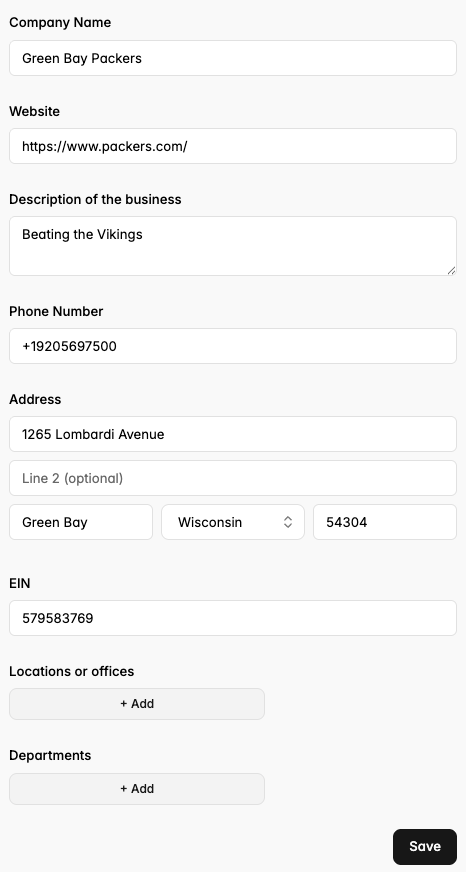
Set your business details and preferences.
The Details tab on your portal will ask you to fill in both invoice preferences and company information.
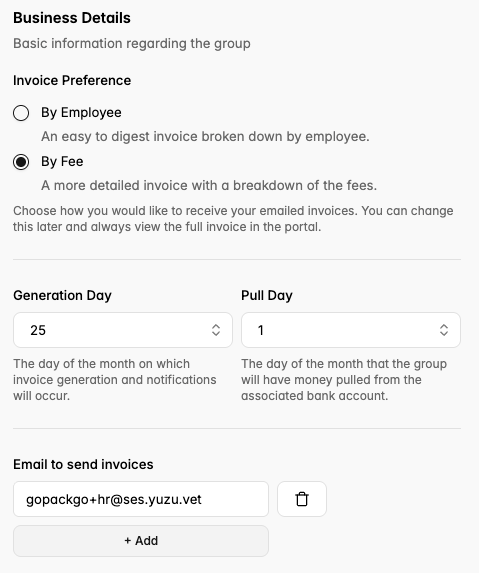
Invoice Preferences
- Choose between an easy to digest invoice broken down by employee, or a more detailed invoice with a breakdown of the fees for your health plan.
- Fill in the appropriate email for your team member who should receive invoices.
*Note: We generate invoices on the 25th of the month and pull money on the 1st of the month.
Business Information
- Fill in your company’s DBA name.
- Add your company’s website.
- Write a description of your company.
- Add your business phone number.
- Add your business address.
- Add your EIN (please verify for accuracy).