Approve individual member additions before they go live
Elect Into Pend Enrollments
There are two steps to opt into Pending Enrollments, which blocks members from being automatically added to the plan until a designated representative approves their addition. To opt into this option, just:
- Let the Yuzu team know to adjust your settings on all groups moving forward to Pend Enrollments.
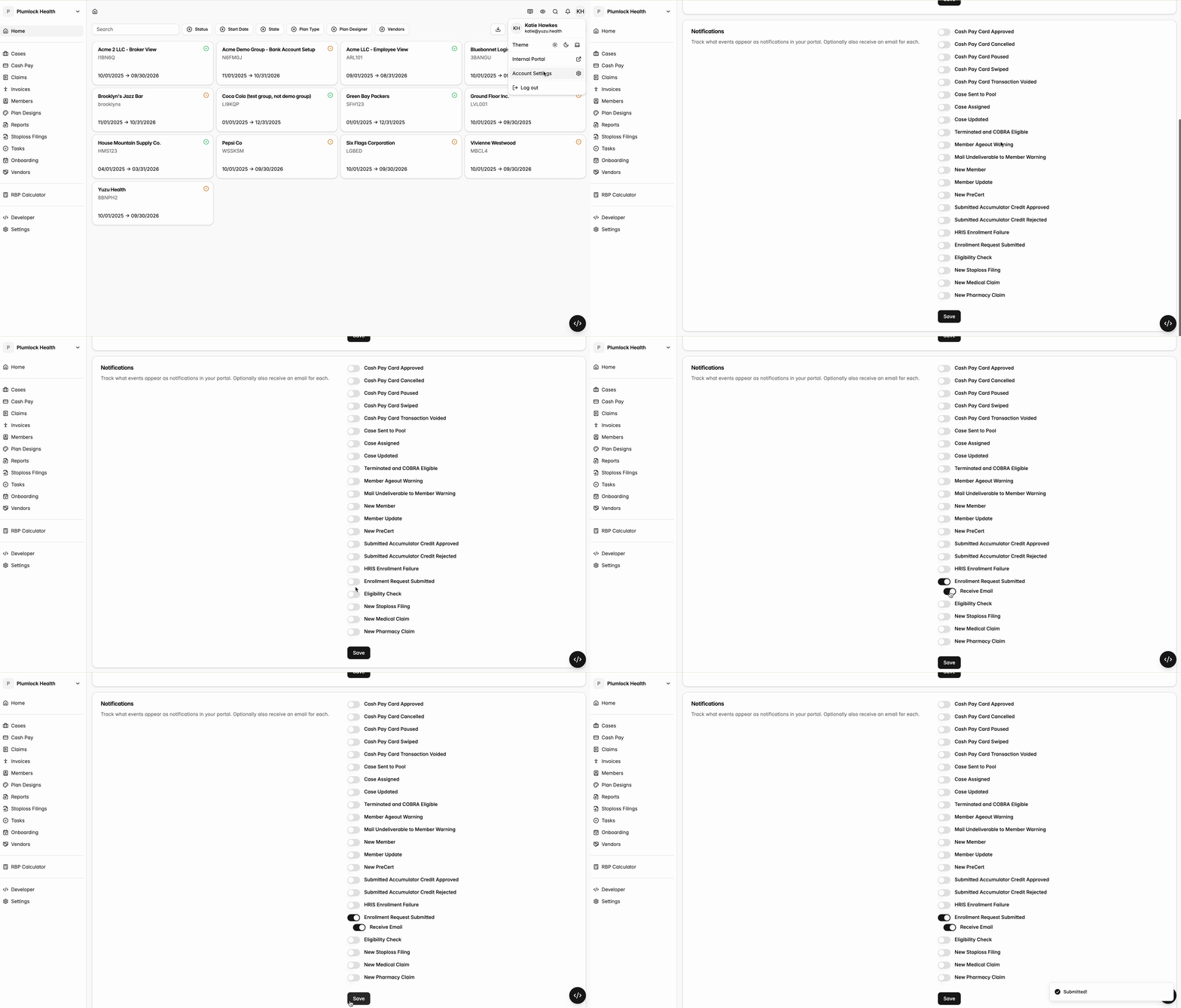
- Go to your Account Settings, then Notifications, and turn on New Enrollment Request Submitted notifications. Yuzu will send you an email every time there is a new member addition that needs your approval.
Here is what the email will let you know that a new enrollment request has been submitted, and have a large central “Get Details” button which will take you to the approval page.
Approve Pending Enrollments
Actually approving pending enrollments is simple. Once you’ve clicked on the “Get Details” button on the notification email, you’ll be taken to a page just like the one below (but with member details).

Review the submission, and if approved, hit the approve button above. If not approved, go back to the requester and let them know why and what their next steps are.