Basics for all things reporting
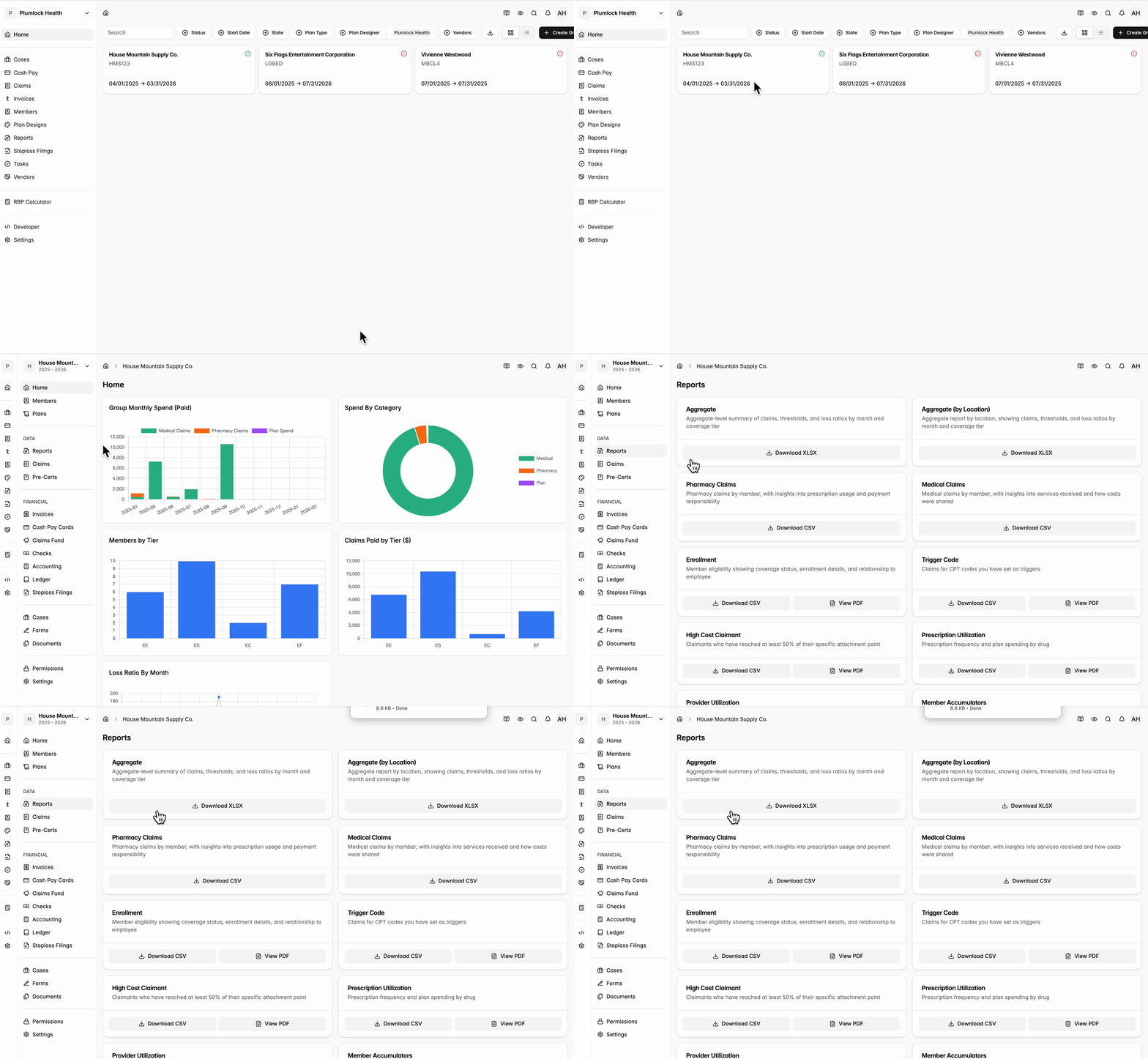
Overview / real-time charts
- This is the first thing you’ll see when you log into the portal. This tab contains a few charts to get a sense of plan performance at a glance.
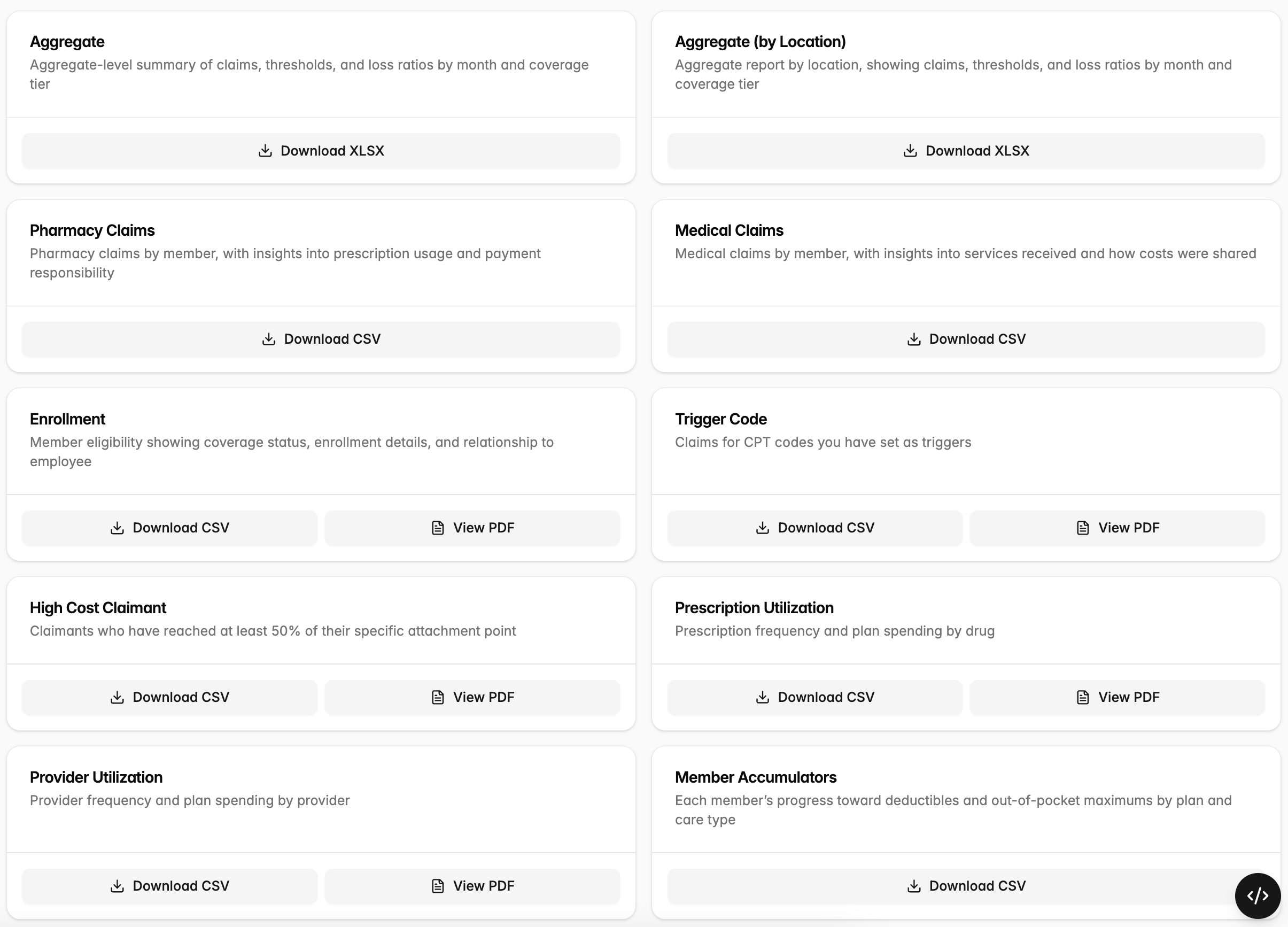
Reports
- For a more detailed look into plan performance, got to the Reports Tab. This tab contains downloadable reports (which download as Excel files) in two key areas:
- Aggregate Report: This report provides an overview of plan spending.
- Enrollment Report: This report shows all eligible members on the plan.
- These two reports are year-end-to-date, and update in real time, meaning you can log in and get the most up-to-date information about your plan at any time.
- We are also in the process of adding ‘toggleable’ reports. Meaning you can enter certain parameters (e.g., High Cost Claimants that have hit a threshold of X dollars)