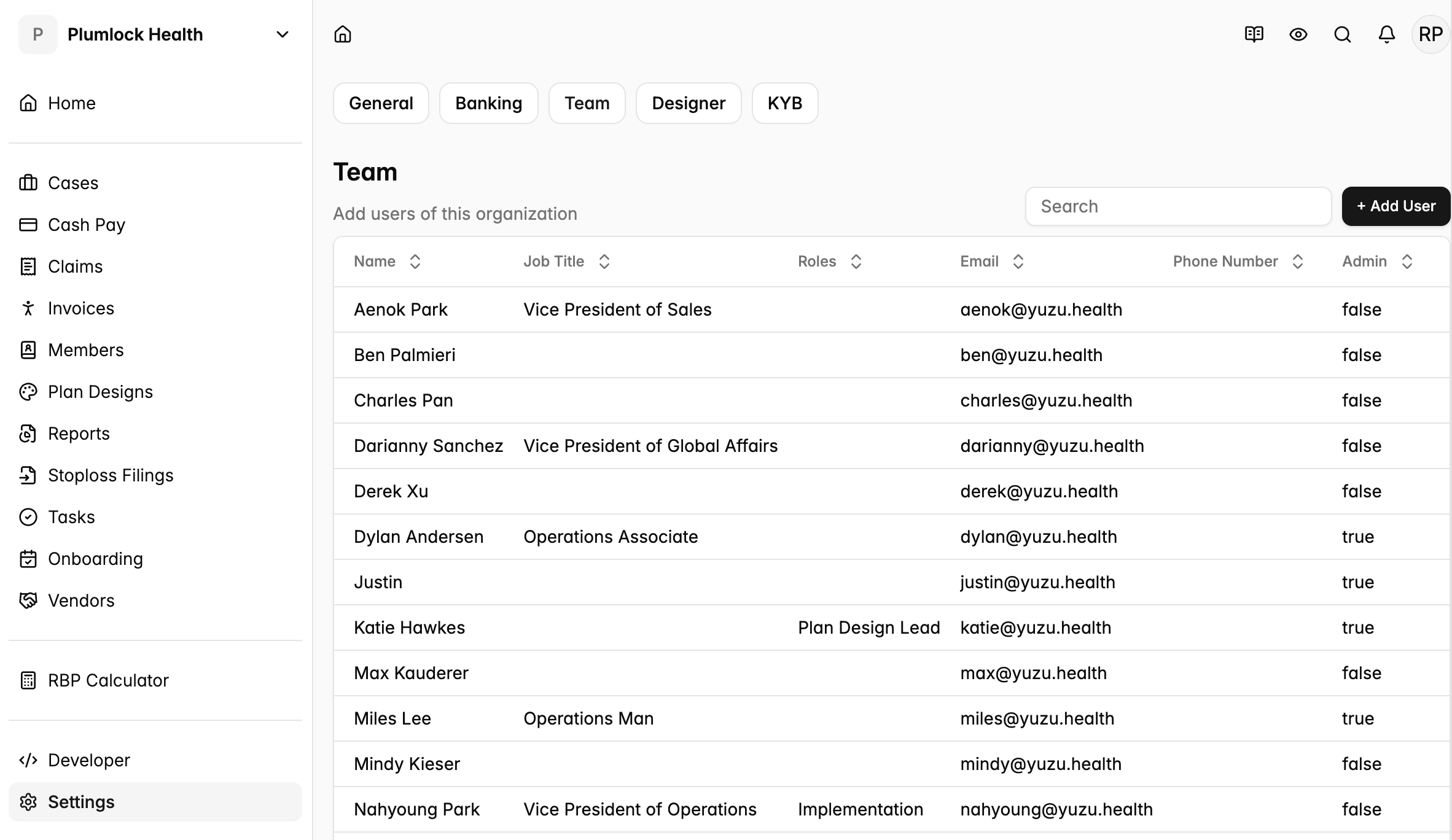
Add personnel to the group or to your team.
Add personnel to your team as a vendor / broker / plan designer
- For plan designers, brokers, DPC, vendors (PBM, Network, Stop Loss, and others) to add personnel to their team:
- Go to the Home page > Click on ‘Settings’ on the far left side bar > click the tab ‘Team’ > then click ‘+ Add User’
- Provision a new user as an ‘Admin’ when you want them to be able to add more members themselves or add and change bank account information.
- To change your access level to ‘Admin’, have a current admin toggle on that feature when clicking into your profile.