How to create new employer groups and required information.
Who can create groups?
- Plan Designers can create groups at any time.
- Brokers have to be an affiliated vendor with the Plan Designer to create a group.
- To add a broker as an affiliated vendor, click the ‘Vendors’ tab on the sidebar, click ‘+ Add Vendor’, and search the dropdown for the broker’s company or name.
How do I create a new group?
- To create a new group, click ‘+ Create Group’ in the top right corner of the homepage.
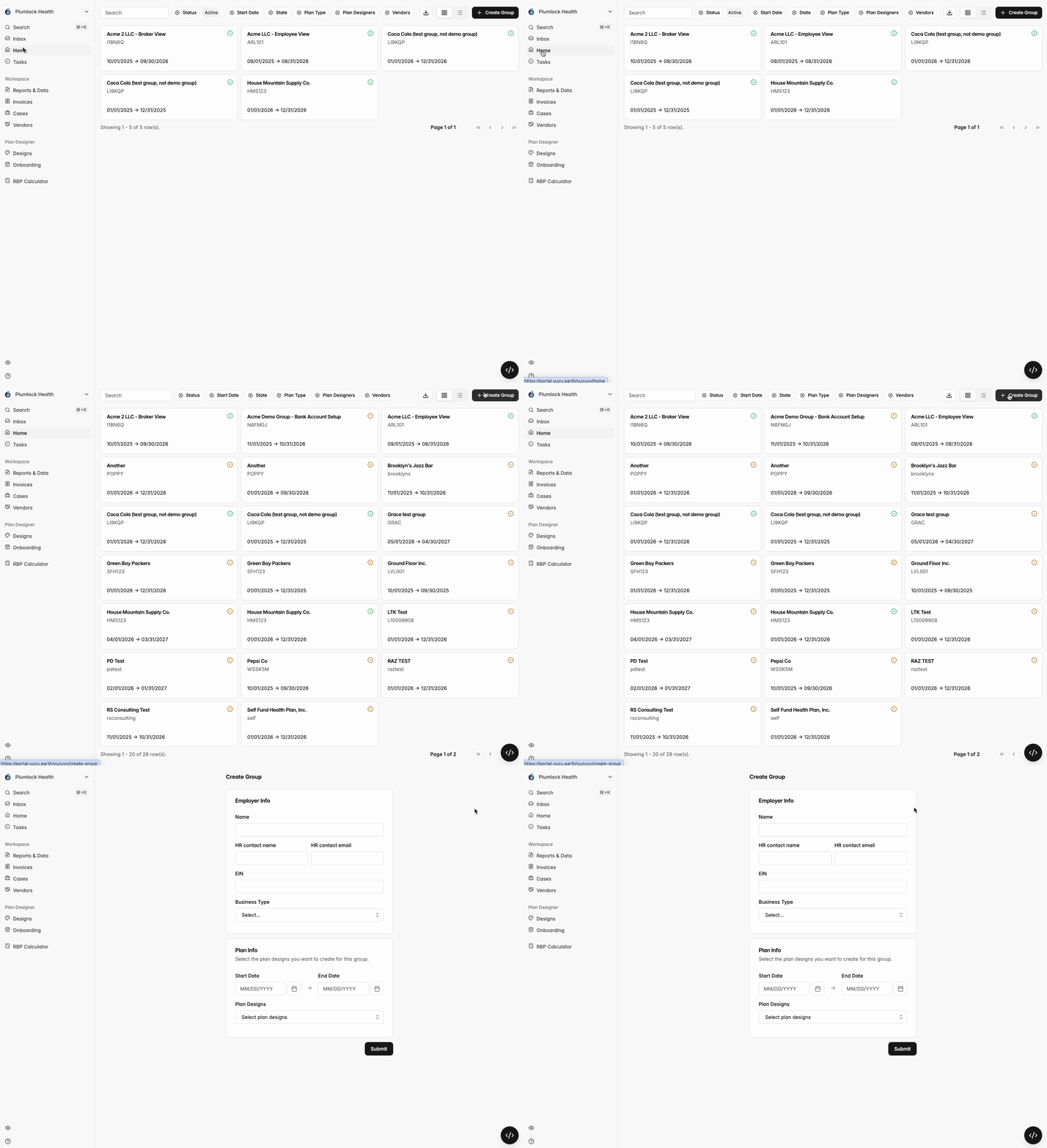
Press the ‘+Create Group’ button to add new employer groups
What info do I need to fill out?
All info the the ‘Create Group’ form will need to be filled out to create your group.
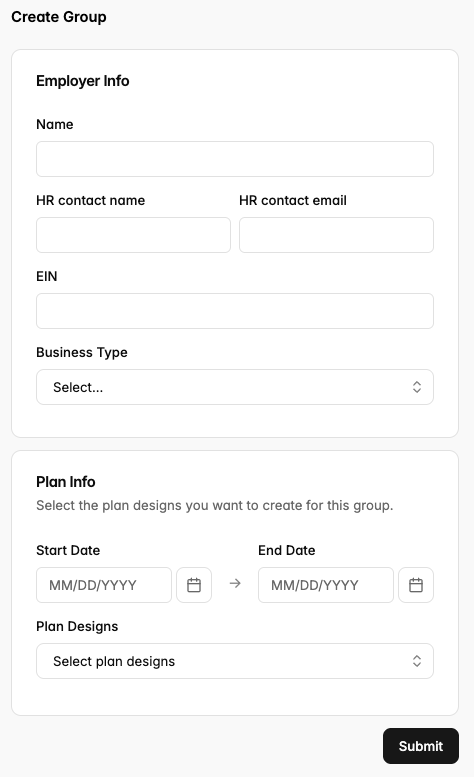
You’ll also need to assign at least one plan design at this point, although you can assign as many as you would like. Available plans are those that have been created on the ‘Plan Designs’ tab on the sidebar.
What happens next?
Your inputted HR contact will get an email to sign in and start completing their employer-specific tasks and you’ll be able to continue to configure this Onboarding Group by navigating to their page from your homepage.