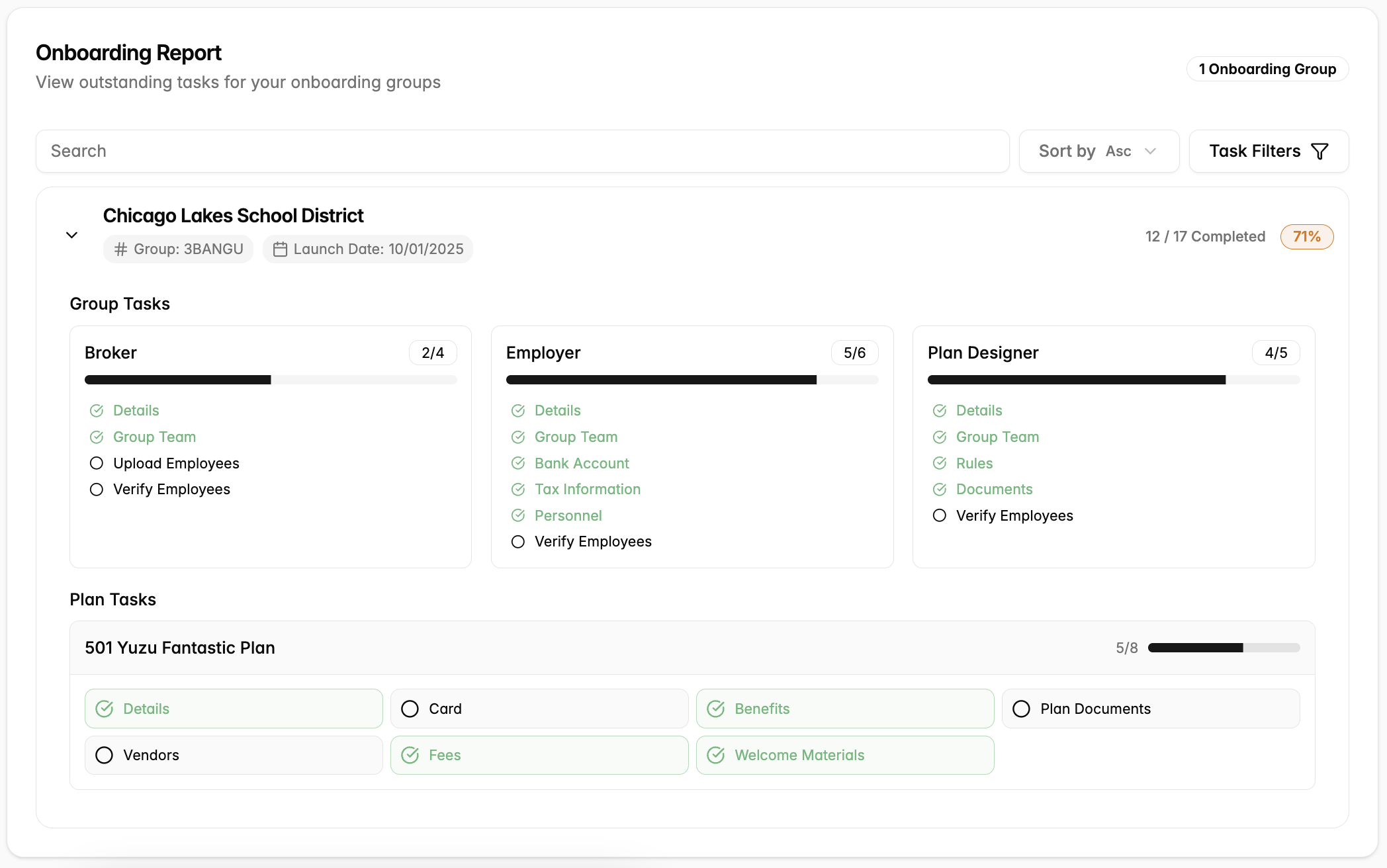
Manage multiple onboarding groups at once. Accessible by both Plan Designers and Brokers.
Navigate to the onboarding tab
- On the far left sidebar click “Onboarding.” See all of your onboarding groups.
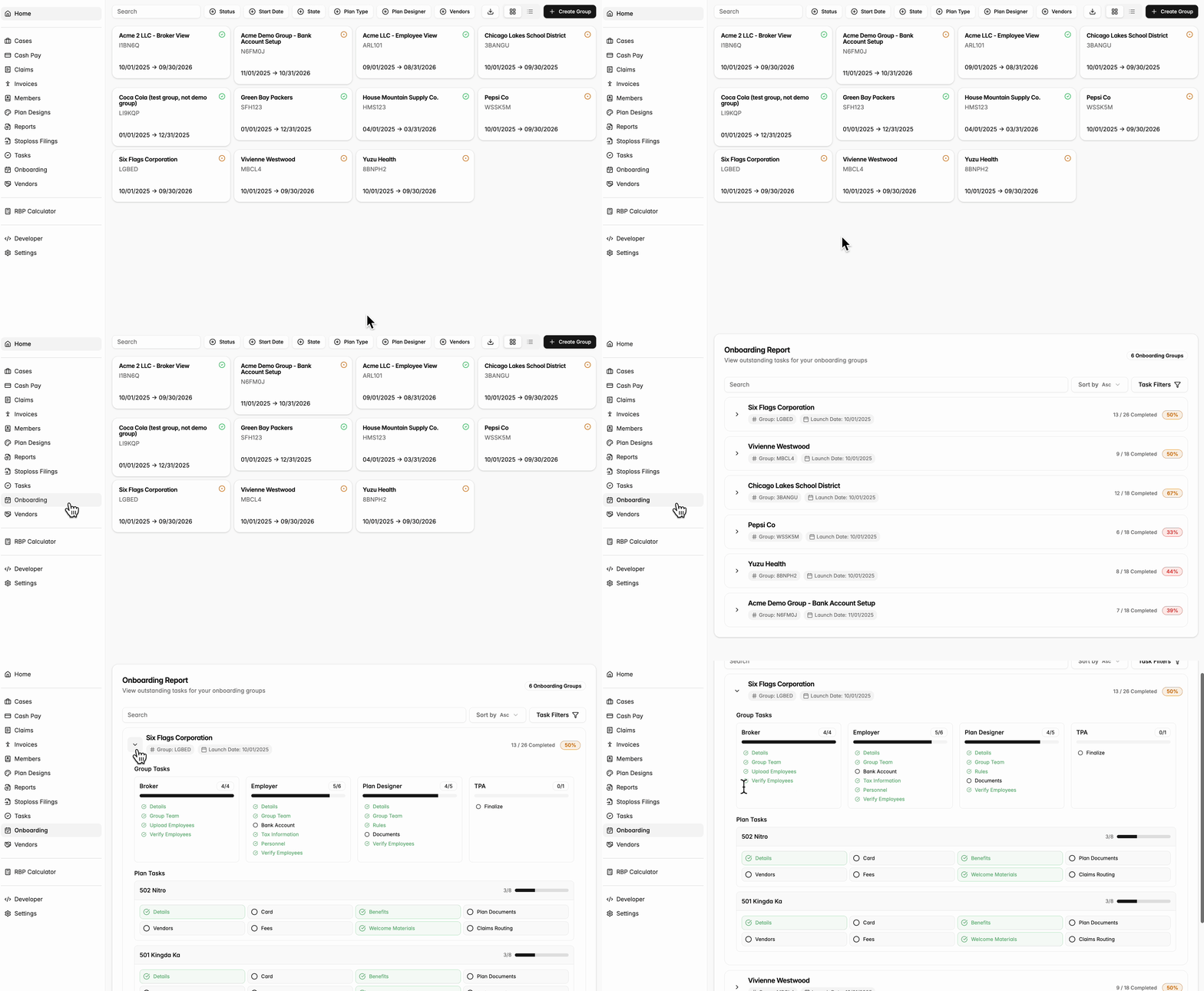
Manage tasks
- “Group Tasks” are consistent across a group. These tasks are broken down by the role of the Broker, Employer, and Plan Designer.
-
“Plan Tasks” are differ across plans:
- Details, Card, Benefits, and Welcome Materials should automatically populate from the Plan template. Please check to see if these are correct.
- The Document section will be managed by either the TPA or Plan Designer.
- Vendors and Fees will populate based on what is in the Plan template. These will still need to be updated for each plan with details specific for the group (e.g., Agg factor).
- Claims Routing will be handled by the TPA.
To see the outstanding tasks, click into a group. If there is not a green check, that means the step still needs to be completed. You are able to direct yourself to the appropriate page by clicking into the link