How to connect an external bank account using Plaid
Why do I need to connect my bank account?
Connecting your external bank account allows us to securely process payment for your monthly invoice. All daily transactions are handled within your FBO (“For Benefit Of”) account, so this external bank account will remit payment for your monthly invoice with a single pull per month, on the first business day of the month.
All employer contributions and member funds collected to fund the health plan are held at Fifth Third Bank, our banking partner. Fifth Third Bank is a nationally chartered financial institution and deposits are FDIC insured up to applicable limits.
What is Plaid and how is my information kept secure?
We understand that the security of your financial information is of utmost importance. That's why we partner with Plaid, a leading financial technology company, to handle the connection to your bank accounts. Plaid uses advanced encryption protocols, multi-factor authentication, and strict security measures to protect your data. They will never share your banking credentials with us or any third parties. We only receive a secure token that allows us to process payments, ensuring your sensitive information remains private and protected.
We do not support groups that wish to fund plans only by mailing checks or by initiating outbound ACH payments directly to us.
How do I connect my bank account?
We use Plaid to securely link banking info. You will find “Bank Account” on the left side of your onboarding flow under “Employer.” Once you click into the page, you will see this:
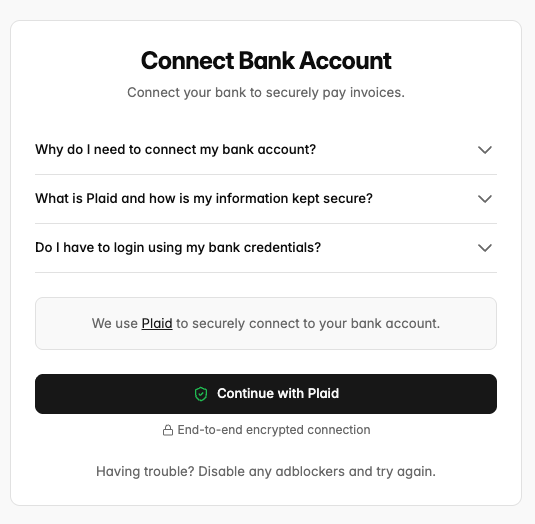
After hitting “Continue with Plaid” you can bypass the below login screen by hitting “Continue without phone number”.
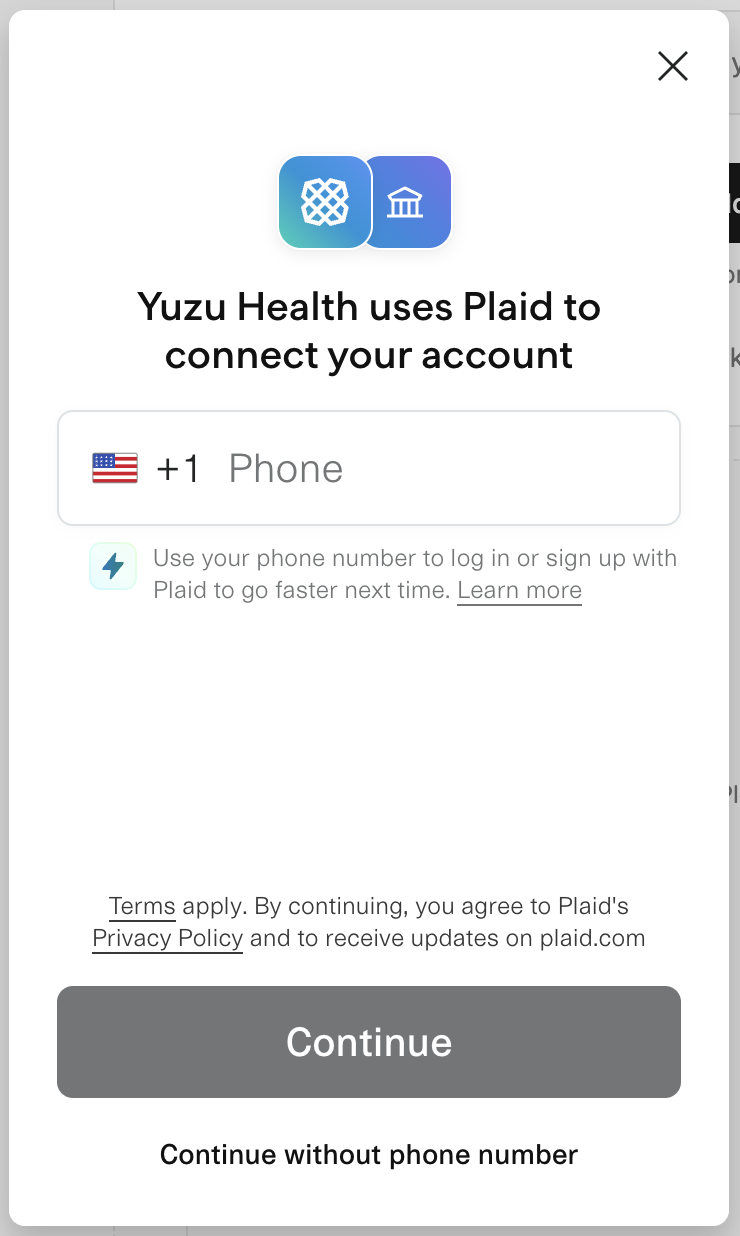
There are two ways to connect banking after this screen.
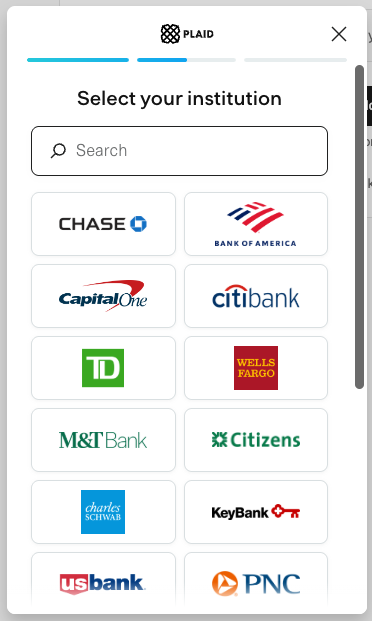
Logging into your banking portal
Log directly into your institution portal by clicking it or searching in the portal, this always for a quicker connection without additional steps and we recommend following this secure flow.
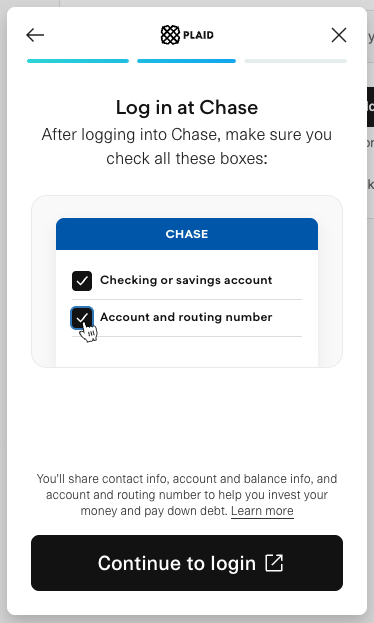
Do I have to login using my bank credentials?
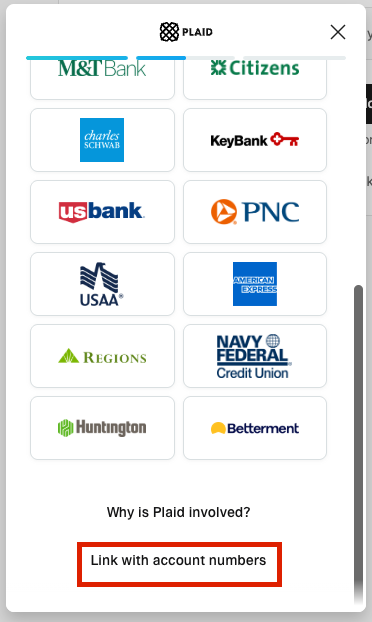
While we recommend logging in using your bank credentials for speed and ease, you can also login using your account and routing number if you scroll to the bottom of the page in the Plaid widget and click 'Link with account number'.
Linking with account and routing numbers
Alternatively, you can scroll to the bottom of that popup and click “Link with account numbers”. Typically this is easiest for smaller, local banks or if you are unable to locate your bank within the above login flow.
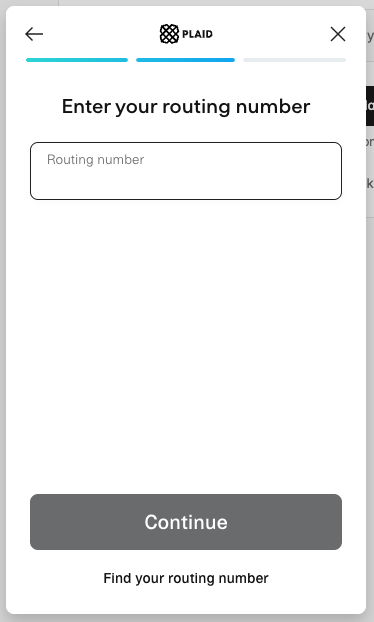
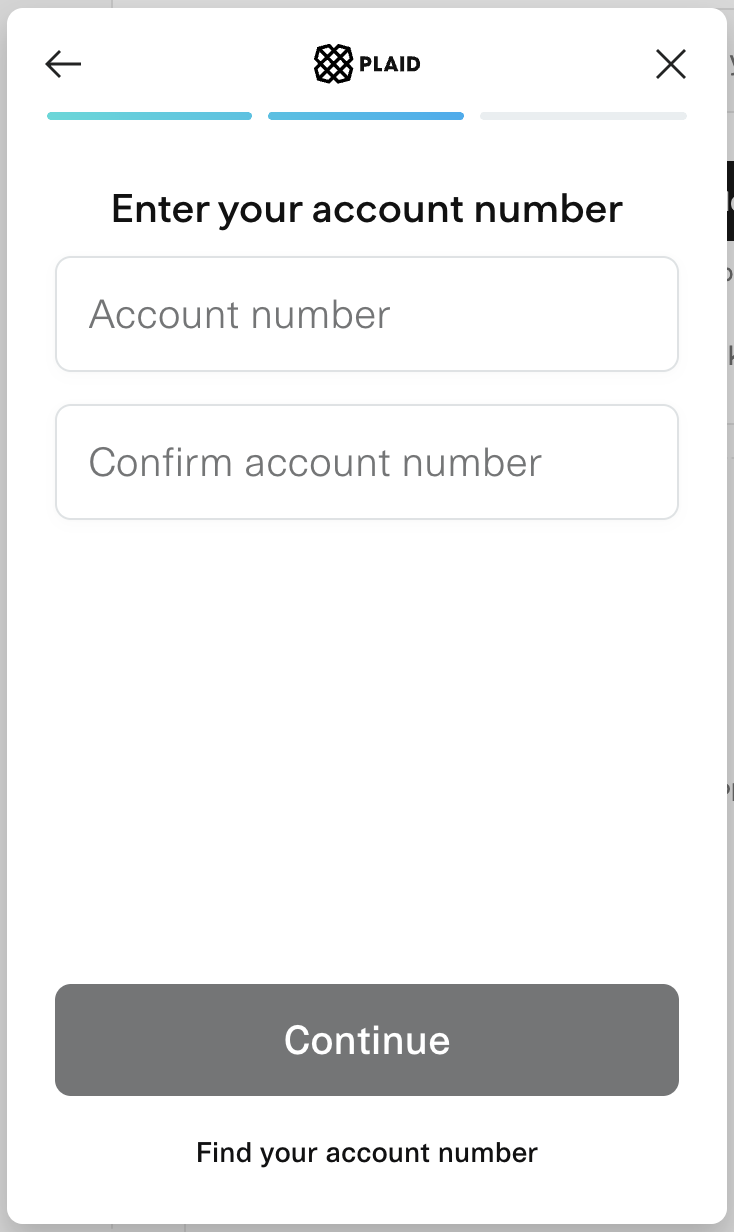
Once the bank account is linked, Plaid will send you a microdeposit of $0.01 with a three letter code, typically within 24-48 hours. This micro deposit is a two-factor authenticator for your bank account - we deposit one cent in your account, and you take a code from that deposit and enter it in the portal to confirm our link is intentional.
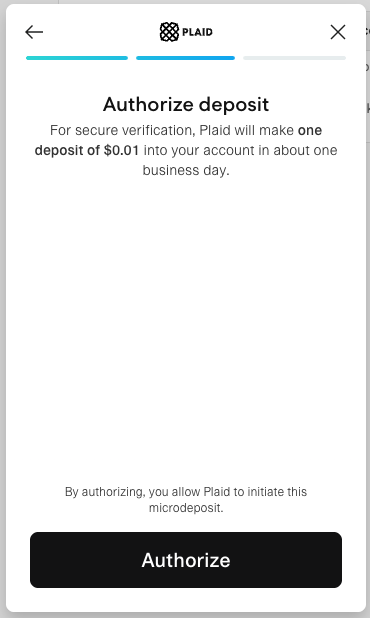
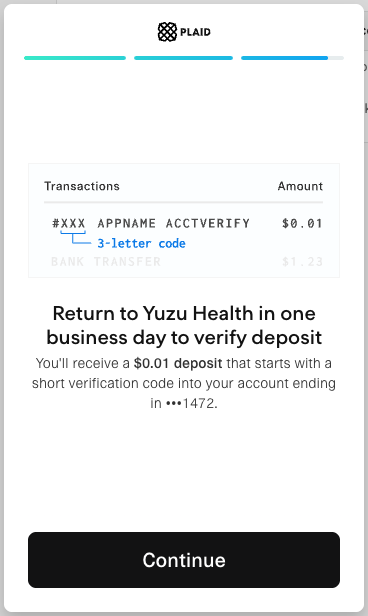
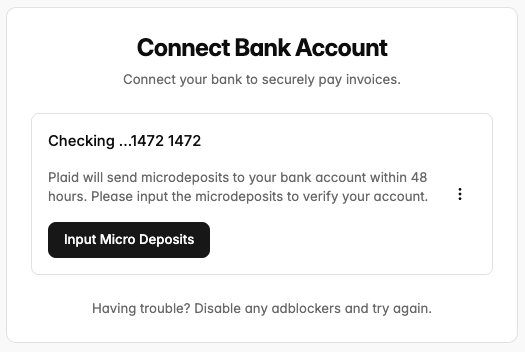
You must input these microdeposits to complete setup with the accounting and routing number flow, if you’re in a time crunch we recommend following the direct login with your banking portal flow.
Troubleshooting banking connection
The most common error we see is that something was entered incorrectly into the account/routing number flow. This may be the account name, routing, or account number.
If that does not work, the best resource for help is consulting Plaid’s FAQ page, or contacting your bank directly.