Members can submit accumulator credits for themselves and their dependents.
An accumulator is a running total that tracks spending toward a plan limit: a deductible or an out-of-pocket (OOP) maximum.
Why upload accumulator credits?
If your plan allows for deductible and max-out-of-pocket credits from your previous plan year to apply to your current plan year, you can upload accumulator credits in the member portal.
We only accept individually-loaded accumulators for the first 21 days of the plan to make sure claims are paid quickly and accurately.
How do I upload an accumulator credit?
Log into my.levelhealthplans.com
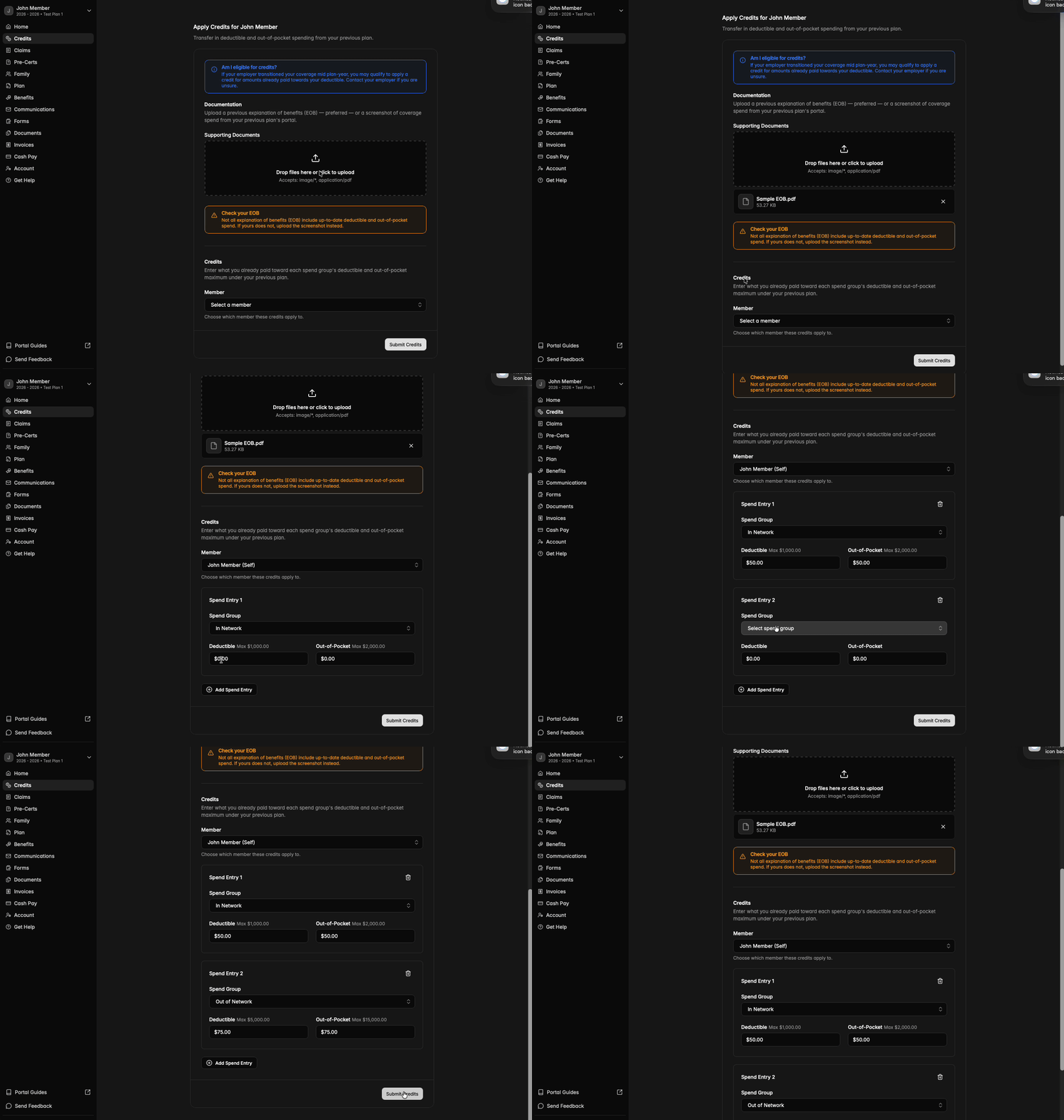
- To start, navigate to the Credits tab. If the Credits tab is not visible, your plan may not allow you to upload accumulators, or the deadline to upload individual accumulators has passed.
- Upload documentation (image, PDF, etc.) of coverage spend from your previous plan:
- Explanation of Benefits (EOB) - Preferred
- If uploading an EOB, ensure that it includes up-to-date accumulator balances.
- Screenshot of coverage spend from your previous plan’s member portal
- Explanation of Benefits (EOB) - Preferred
- Select the member to whom these credits apply.
- Add spend entries to apply these credits to your accumulator balances (in-network vs out-of-network and deductible vs out-of-pocket)
I’ve submitted an accumulator credit. When will it be reflected in my spending overview?
- Once the accumulator credit is submitted, the credit will be reviewed by a member of our team. Once the credit is approved, you’ll see the approved amounts reflected in your Spending Overview on the Home tab.